
Dashboard Workflow
Day to day CLIFF is just two actions: export (UE → .cliff) and import (.cliff → UE). Both run as a step of the official GatherText pipeline, so the progress window and log format match the official Import Text / Export Text workflow exactly.
Before you start
- Open Tools > Localization Dashboard and select a Localization Target
- Make sure the target has a Native Culture and at least one foreign culture
- Confirm the toolbar shows CLIFF 导入 / CLIFF 导出 / AI 翻译
NOTE
Those buttons are injected through the plugin’s official
LocalizationServiceprovider. Selecting a TargetSet instead of a target shows the same buttons with different behaviour: export/import process every target in the set (one sub-directory per target), while AI translation opens the culture picker and then runs target by target.
Export: UE → CLIFF
Use it to pull existing translations out into reviewable text files for translators, reviewers or external tools.
-
Click CLIFF 导出
-
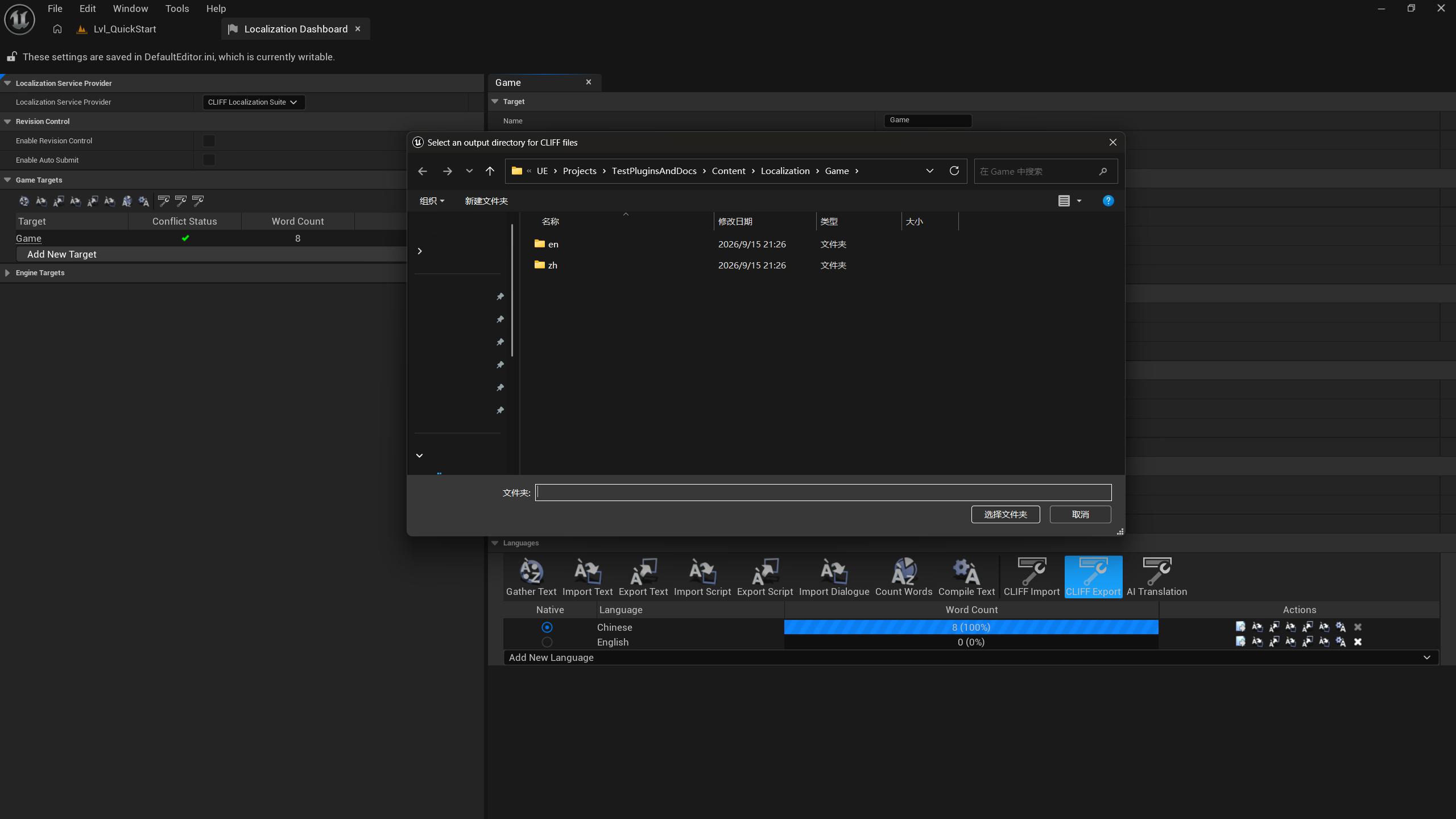
Pick an output directory in the directory dialog
-
The official-style progress window appears with the Export Translations task; a notification reports the output directory when it finishes
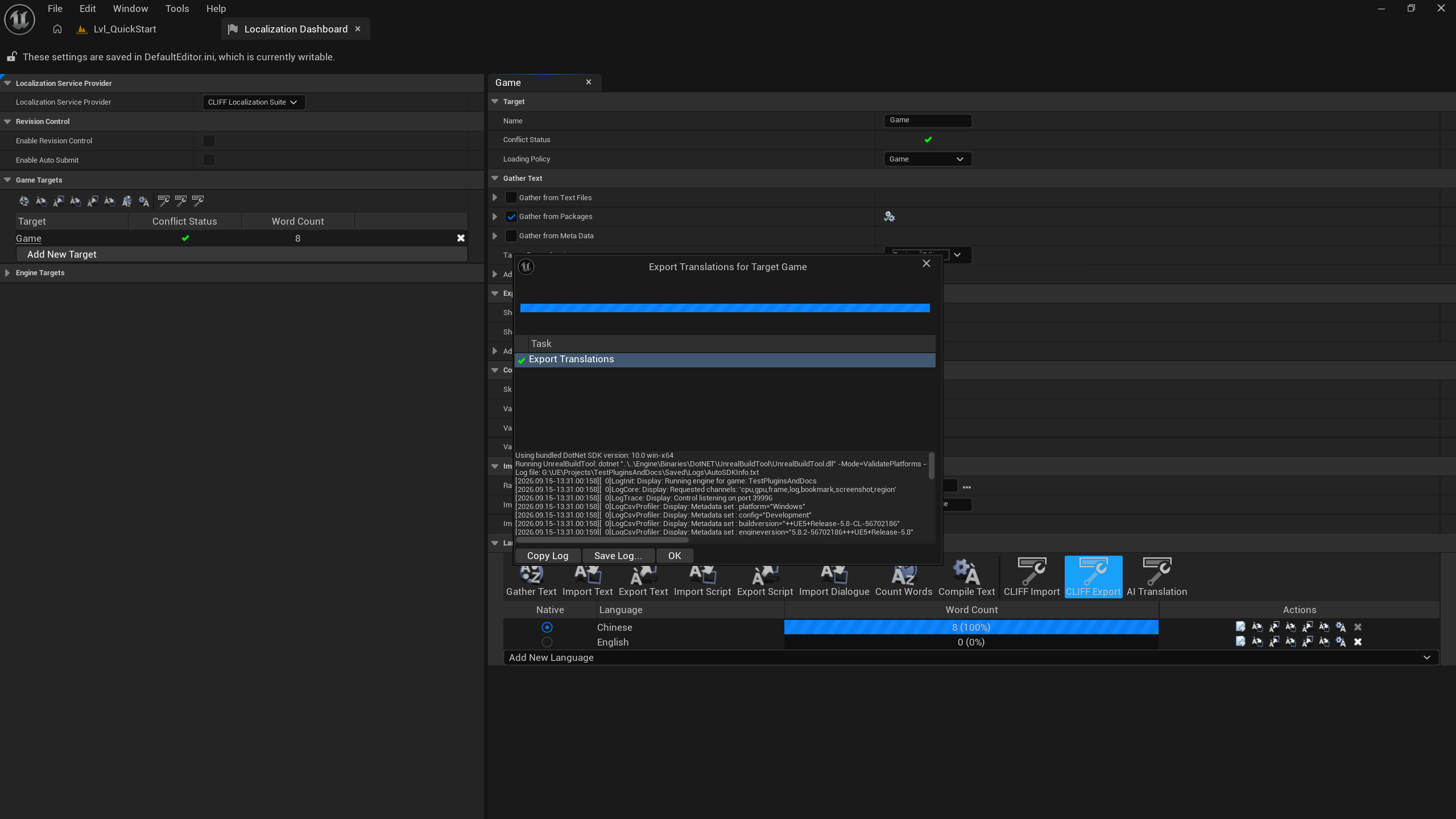
The output layout is one directory per culture, named after the target:
<output directory>/
├── <Manifest>.cliffmap.json        # key sidecar (shared by the whole export)
├── zh-Hans/
│   └── cliff-<target>.cliff
├── ja/
│   └── cliff-<target>.cliff
└── …
IMPORTANT
.cliffmap.jsonis what makes the round trip lossless. UE keys are often the source text itself (Chinese,|, capitals and/are all legal), which cannot be a CLIFF name. The exporter therefore generates stable IDs and records “original UE Namespace / Key ↔ CLIFF canonical ID” in the sidecar. Import picks the sidecar up automatically, so move and commit the sidecar together with the.clifffiles.
TIP
Sidecar lookup order: first
<file name>.cliffmap.jsonnext to the imported file, then<Manifest>.cliffmap.jsonone directory up. Without a sidecar the importer derives keys from theClan to Namespacetable plus<group-path>.<entry-id>and logs a warning.
Import: CLIFF → UE
Use it to write .cliff files back into the project — hand-edited, machine-generated or AI-translated.
-
Click CLIFF 导入
-
Choose a directory containing
.clifffiles (the plugin scans it recursively for*.cliffand sorts the results)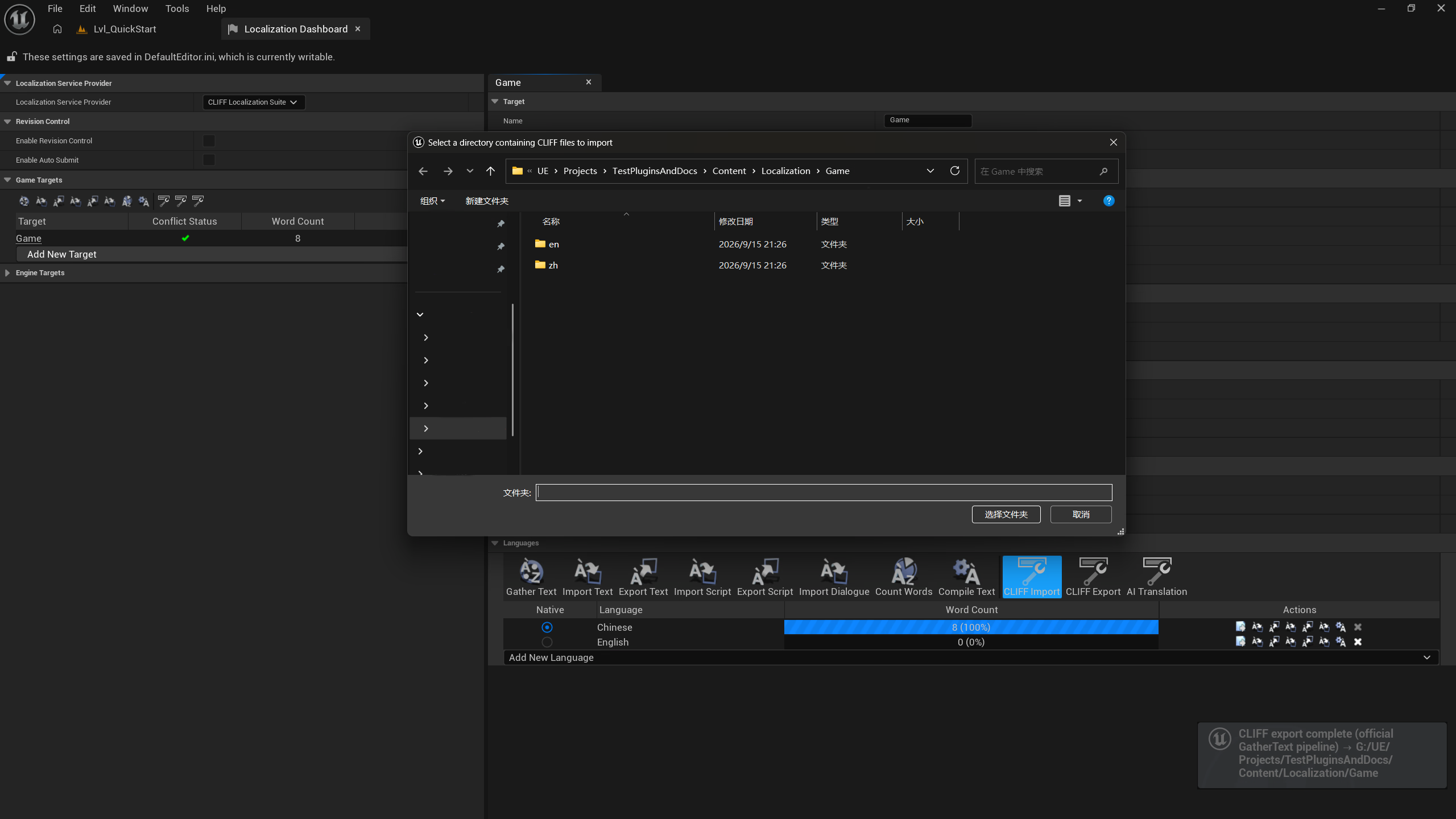
-
The progress window runs two official tasks: Import Translations → Generate Reports
-
A notification reports how many files were imported, and the Dashboard word counts refresh
What the import actually does (two steps inside one GatherText config):
GatherTextStep0: CommandletClass=CliffImport
    SourcePath      = <Content>/Localization/<Target>
    ManifestName    = <Target>.manifest
    ArchiveName     = <Target>.archive
    NativeCulture   = zh-Hans
    CulturesToGenerate = zh-Hans / en / ja / ...
    CliffFilePath / CliffDirectory + CliffImportCulture
        ↓ writes manifest (source text) and archive (translations)
GatherTextStep1: CommandletClass=GenerateTextLocalizationResource
    DestinationPath = <Content>/Localization/<Target>
    ResourceName    = <Target>.locres
        ↓ recompiles .locmeta / .locres (including the native culture)
        ↓ FTextLocalizationManager live refresh + LocalizationDelegates broadcast
IMPORTANT
Import sorts the native culture first and, when the source language is imported, rewrites the effective source of every foreign archive entry (translations untouched). Import order therefore stops mattering: importing only the source language, only foreign languages, or everything at once converges in a single run without spurious “needs review” flags in the Translation Editor.
After the import
| Check | Where | Expected |
|---|---|---|
| Entries and translations | Window > Localization > Translation Editor | New entries present, foreign translations filled, zero “needs review” |
| Word counts | Target details in the Localization Dashboard | Word counts and completion refresh with the report |
| Live refresh | Editor UI / PIE | New text is visible without restarting the editor |
| Compiled resources | Content/Localization/<Target>/<Culture>/<Target>.locres | Rebuilt for every culture, including the native one |
Equivalent commands
The same pipeline runs headless (for example in CI):
CliffLocalizationSuite.Export <targetName> <outputDirectory>
CliffLocalizationSuite.Import <clifFilePath> <targetName>
All parameters are documented in commands and commandlets.
Practical advice
- Never hand-edit
manifest/archive: the officialFLocTextHelperowns them and the next import overwrites manual changes. - Version-control
.clifffiles together with their sidecar:.cliffis plain text — UTF-8 without BOM, LF — so it diffs and reviews well. - Keep export directories outside the repository (for example
Saved/CliffExport/) unless you deliberately maintain a translation repository. - Batch directory import: every
.cliffin one directory is imported in a single official task, with per-file results in the log.